THE CLIPY FIELD GUIDE

Record the thought once. Use it all the way through.

The complete workflow for turning a screen recording into a clear handoff, agent context, a shipped fix, and proof that the result works.

QUICK ANSWER

Use Clipy to record the exact thing you want to explain, make important moments obvious with Flare and narration, then share the same link with a person or an AI agent. Clipy can also turn YouTube videos into agent context and record an agent’s verification run as proof.

START HERE

Which recorder should you use?

Every surface ends at the same kind of share link. Pick the capture tool that matches what you need to show.

Mac app

Best for Flare, system audio, native apps, and exact Mac windows.

Get the Mac app

Chrome extension

Best for fast tab capture and optional redacted bug diagnostics.

Add to Chrome

01 · MAC APP

How do you point without covering the screen?

Turn on Flare and your cursor becomes a temporary spotlight. It replaces “look over here” with a visible trail that lands in the recording and in Clipy’s pointer evidence.

  1. 1Start a recording in the native Clipy Mac app.
  2. 2Switch on Flare from the recording controls.
  3. 3Hold Control and move the pointer around the element you mean. Release it when the callout is done.
  4. 4Narrate what matters while you point: the problem, the expected state, or the exact measured delta.

Best habit: circle once, pause on the target, and say one complete instruction. Fast scribbling looks energetic but gives the viewer and the agent less usable evidence.
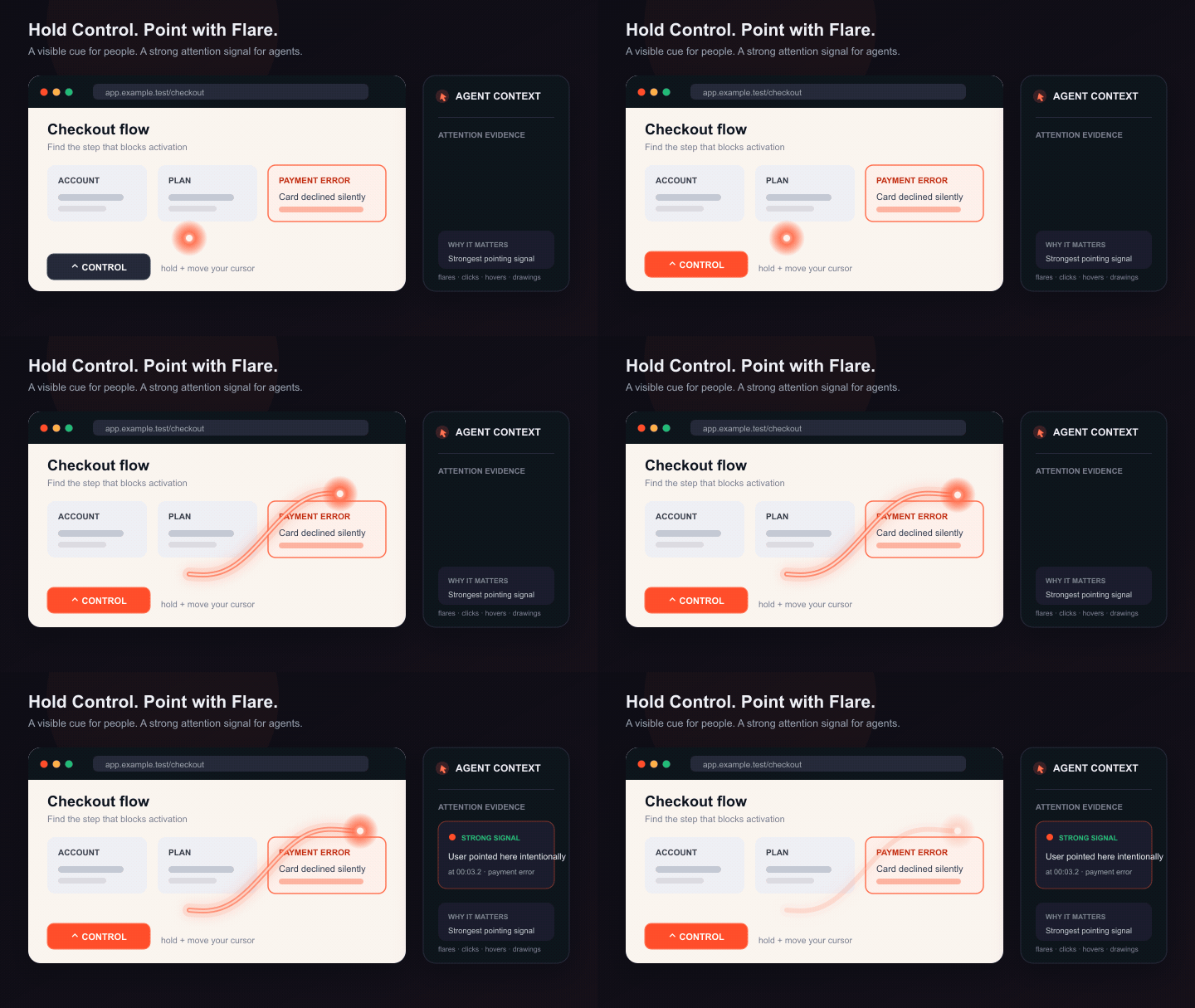
Clipy Flare highlighting a part of the recorded screen with a fading orange cursor trail
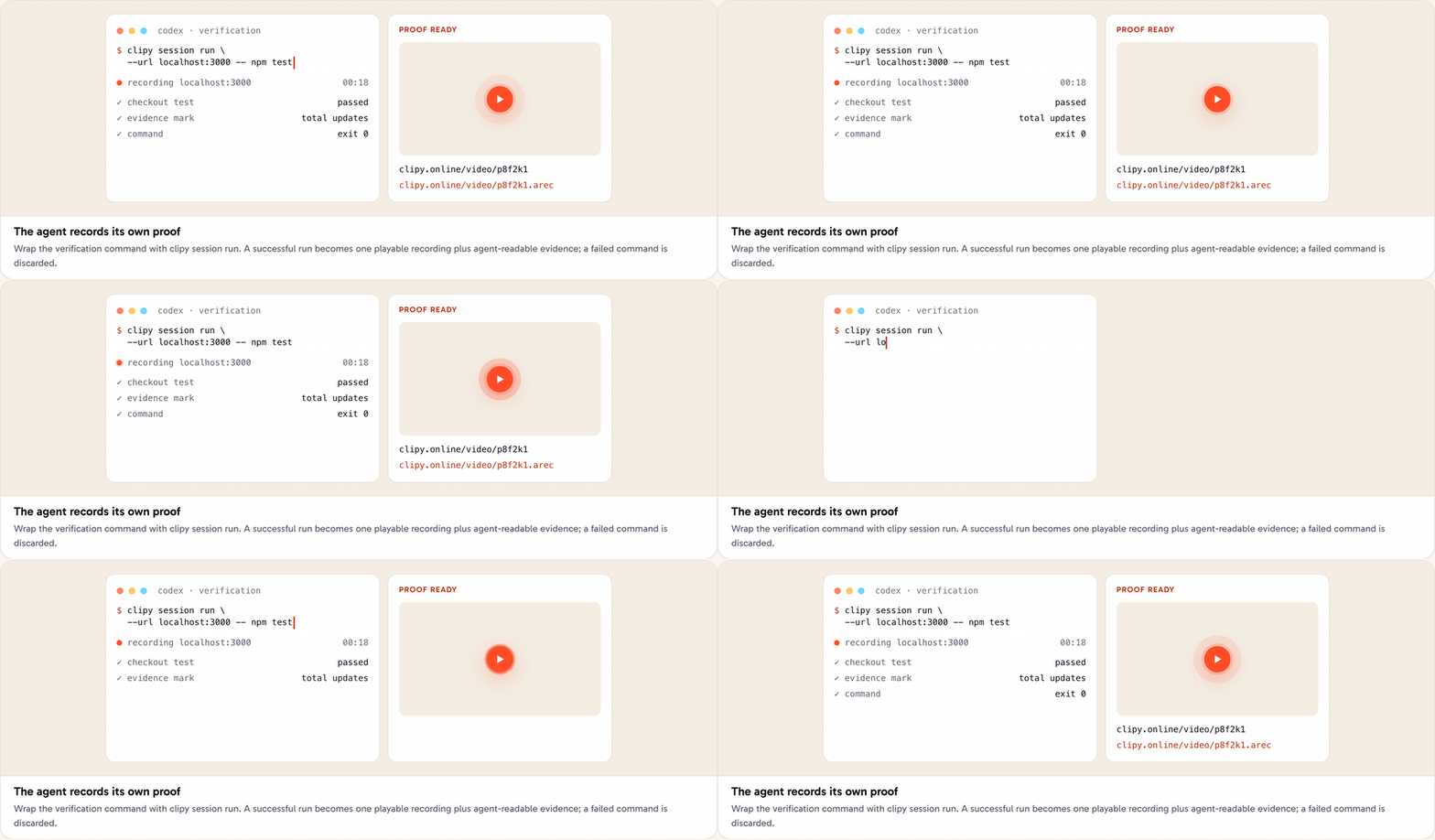
An AI agent wraps a test command with Clipy and returns a proof recording plus an AREC document

02 · AGENT RECORDING

How can your agent show that its work really works?

Ask the agent to record the verification, not just report “tests pass.” Clipy wraps the run, captures the surface, and gives you a normal video plus structured evidence another agent can read.

clipy session run --url http://localhost:3000 --type bug -- npx playwright test
  1. 1Set up Clipy for the current agent once. Installation and recording always require your explicit authorization.
  2. 2Tell it what user-visible behavior to exercise and what counts as success.
  3. 3Have it add evidence marks at the important before, action, and after moments.
  4. 4Ask for both outputs: the human watch URL and the canonical .arec context URL.

A failed wrapped command is discarded; a successful one uploads. Clipy records evidence, but the marks still describe what the driver observed rather than independently proving the assertion.

03 · VIDEO CONTEXT

How do you pass a YouTube video to an agent?

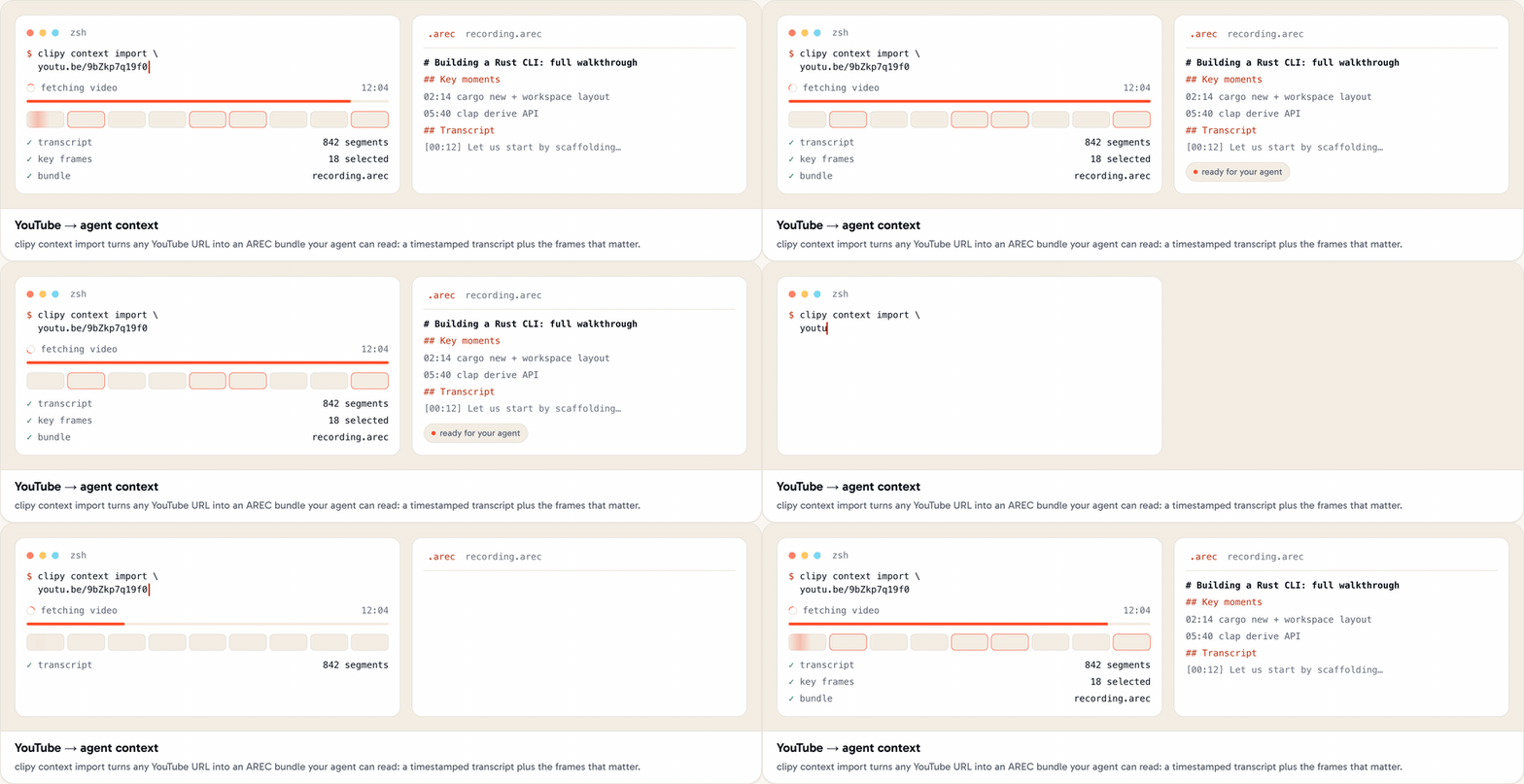
Do not ask the agent to guess from a title or chew through the entire video. Clipy turns the URL into an AREC bundle with timestamped transcript sections, visual-gap notes, and selected frames when available.

clipy context import "https://youtu.be/..." --sync --json
  1. 1Paste the YouTube URL and say what you want the agent to learn or implement from it.
  2. 2Let the Clipy skill run the import. Captions come first; frames are selected around moments where the visual evidence matters.
  3. 3The agent reads metadata and visual gaps first, searches for your question, then opens only the relevant transcript moments and nearby frames.
  4. 4Re-run the same import if a partial result has transcript context but frames are still pending; imports are idempotent.
Open the full YouTube context guide
Clipy importing a YouTube URL into a timestamped transcript and selected agent-readable frames
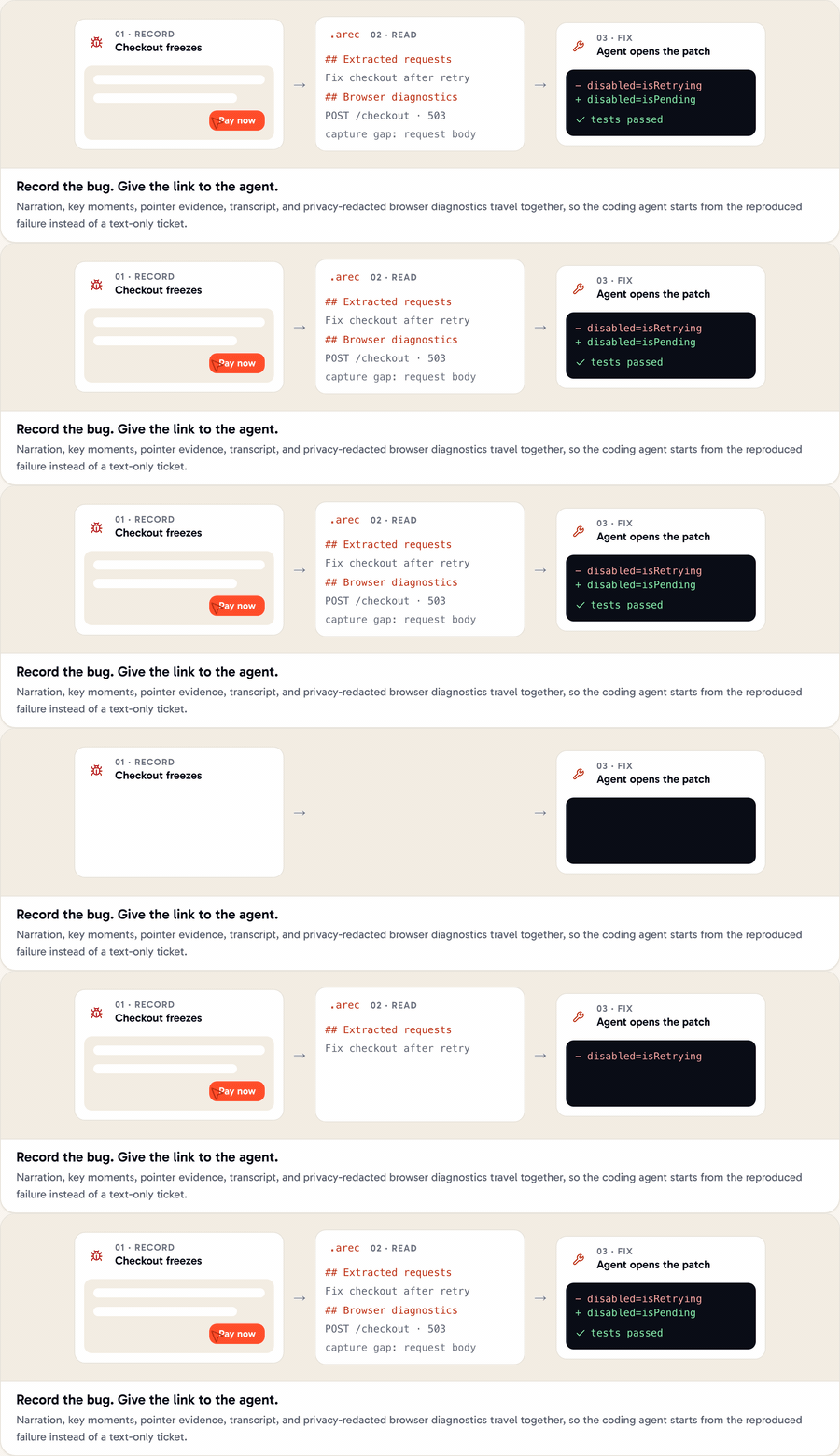
A Clipy bug recording becoming AREC evidence and then an AI coding agent fix

04 · BUG TO FIX

How do you record a bug so an agent can fix it?

Record one clean reproduction and say the outcome you expected. The normal watch link is enough: with the Clipy skill installed, the agent pulls the requests, plan, key moments, pointer evidence, capture gaps, and transcript.

  1. 1Start from a known state and say the browser, account role, test data, and route that matter.
  2. 2Narrate each action once. When the failure appears, pause and state actual versus expected.
  3. 3In the Chrome extension, optionally enable Also capture my bug flow for warnings, errors, failed requests, and sanitized URL shapes. It is off by default.
  4. 4Paste the Clipy link into your coding agent: “Reproduce this, fix the root cause, run the relevant checks, and send Clipy proof of the fix.”

Privacy boundary: diagnostics exclude bodies, headers, cookies, tokens, raw query values, and typed form values. Console messages are page-authored free text, so avoid recording sensitive surfaces and review before sharing.

05 · DESIGN ITERATION

How do you turn design feedback into a same-session fix?

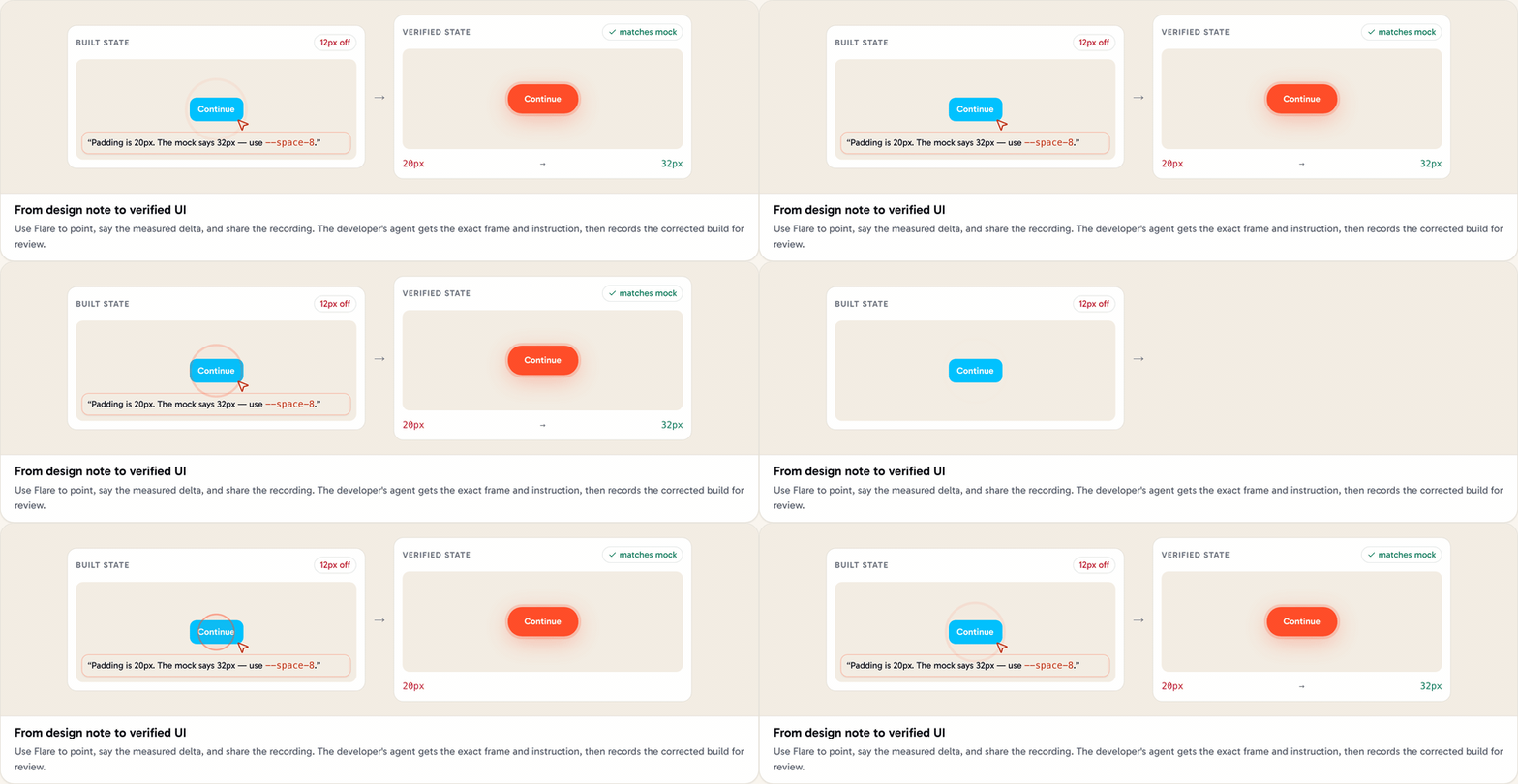
Walk the built UI against the mock. Use Flare to make “this element” unambiguous, then speak in deltas an agent can edit: current value, target value, token, and state.

SAY THIS

“This CTA has 20 pixels of horizontal padding. The mock uses 32 pixels, our --space-8 token.”

NOT THIS

“The button feels a little cramped.”
  1. 1Keep the mock open for reference, but record the real build the developer will change.
  2. 2Capture layout, typography, color, radius, and interaction states as separate, measured notes.
  3. 3Give the recording link to the developer’s agent and ask it to map each delta to the owning component and token.
  4. 4Have the agent rebuild, record the corrected states, and return the proof link for the designer’s final visual check.
A designer points at a UI mismatch with Clipy Flare and an agent applies and verifies the measured CSS change

THE COMPLETE LOOP

What does using Clipy to the fullest look like?

  1. 01

    Record

    Show the real surface.

  2. 02

    Clarify

    Point and narrate intent.

  3. 03

    Hand off

    Paste one normal link.

  4. 04

    Prove

    Record the working result.

QUICK REFERENCE

What should you know before you start?

Which Clipy recorder should I use?
Use the native Mac app when you want Flare, system audio, or a real app window. Use the Chrome extension for fast tab, window, or screen capture and optional redacted bug diagnostics. Use the web recorder when you want to start immediately without installing anything.
How does an AI agent read a Clipy recording?
Install the Clipy skill once, then paste the normal Clipy watch link into Claude Code, Codex, Cursor, Windsurf, or OpenCode. The skill fetches the recording’s canonical AREC document, which carries requests, key moments, visual evidence, capture gaps, and the transcript.
Can Clipy give an agent context from YouTube?
Yes. The Clipy CLI imports a YouTube URL into an AREC bundle with a timestamped transcript and selected frames when available. With --sync, derived text and selected frames enter your private Clipy context library; the source video itself is not uploaded by that workflow.
Can an AI agent record its own work with Clipy?
Yes. The Clipy CLI can wrap a headless browser verification command, record the run, add evidence marks, and return a watch URL plus an AREC context URL. For native windows, it can record a specifically selected Mac screen or window after the user authorizes recording.
What should I say in a design feedback recording?
State the current value, the intended value, and the relevant token while pointing at the exact element. For example: ‘This button has 20 pixels of horizontal padding; the mock uses 32 pixels, our space-8 token.’ That gives a coding agent a concrete delta instead of an adjective.
Does Clipy capture secrets in browser diagnostics?
The optional Chrome bug-capture mode is designed to exclude request and response bodies, headers, cookies, tokens, raw query values, and typed form values. Console text is page-authored and only best-effort redacted, so review sensitive recordings before sharing them.

Make your next recording something the work can continue from.

Record the context, point at what matters, and let the same link carry the job from explanation to implementation to proof.